
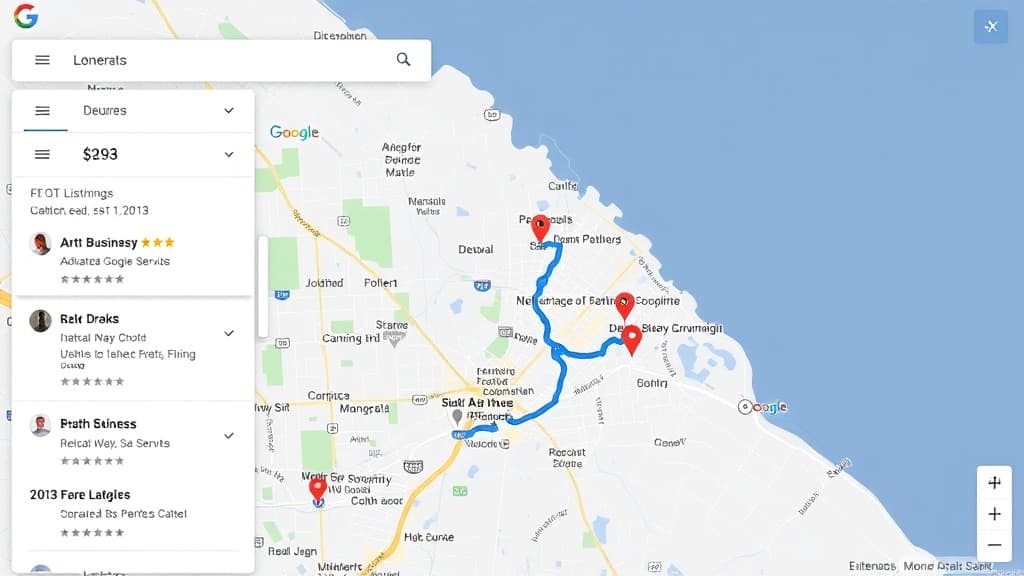
Google Maps isn't just a navigation tool -- it's a discovery engine. More than 1 billion people use Google Maps every month, and "near me" searches have grown over 500% in the past five years. When a potential customer opens Google Maps and searches for your service, your business needs to appear at the top. This guide covers everything you need to optimize for Google Maps rankings, from GBP setup to advanced local signal building.
Google Maps SEO and Map Pack SEO are closely related but not identical. The Map Pack appears within Google Search, while Google Maps is the standalone app. Optimizing for one typically helps the other, but Maps-specific features like photo uploads, Q&A, and business posts carry extra weight within the Maps app itself.
How Google Maps Rankings Work
Google Maps uses three main factors to determine which businesses appear first: relevance, distance, and prominence. Relevance measures how well your listing matches the search query. Distance calculates how far your business is from the searcher or the location specified in the query. Prominence evaluates how well-known and trusted your business is based on reviews, citations, links, and overall web presence.
Unlike organic search, where content quality and backlinks dominate, Google Maps heavily weights proximity and your Google Business Profile completeness. A mediocre website with a perfectly optimized GBP will outrank a great website with a neglected GBP every time in Maps results.
Setting Up Your Google Business Profile for Success
Your Google Business Profile is the single most important asset for Maps rankings. Think of it as your storefront on Google -- every field you complete gives Google more data to match you with relevant searches and gives customers more reasons to choose you over competitors.
Critical GBP Fields to Complete
- Business name (use your real-world name, no keyword stuffing)
- Primary category (choose the most specific option available)
- Secondary categories (add all that genuinely apply, typically 5-9)
- Business description (use all 750 characters with natural keyword placement)
- Address and service areas (set precisely for where you actually operate)
- Phone number (use a local number, not a toll-free number, for stronger geo-signals)
- Website URL (link to your homepage or a locally optimized landing page)
- Hours of operation including special hours for holidays
- Services and products with individual descriptions and pricing
- Attributes (accessibility, amenities, payment methods, identities)
Category Selection Strategy
Your primary category is the single most impactful ranking factor in Google Maps. Google offers over 4,000 categories, and choosing the right one can mean the difference between page 1 and page 5. Always select the most specific category that describes your core business. "Personal Injury Attorney" outperforms "Lawyer." "Emergency Plumber" outperforms "Plumber." Use your secondary categories to capture additional service types, but don't add categories that don't genuinely apply -- Google's quality reviewers flag misuse. See the full list of Map Pack ranking factors for more on how categories influence results.
Photo and Video Optimization
Photo-rich listings dramatically outperform sparse ones on calls and direction requests, per Google's 2015 study with Ipsos MediaCT. Upload professional photos of your exterior (helping Google verify your location), interior, team members, and products or completed work. Geo-tag photos with your business location metadata before uploading. Add new photos weekly; Google rewards fresh visual content with higher engagement and visibility.
Short-form video (under 30 seconds) is an underused Maps feature. Record quick walkthroughs of your location, team introductions, or before-and-after showcases. Videos appear prominently in your profile and drive significantly higher engagement than static photos alone.
Review Generation and Management
Reviews influence both your Maps ranking and your click-through rate once you appear. Google's algorithm weights total review count, average rating, review velocity (how many new reviews you get per month), and keyword mentions within review text. Build a systematic review request process: after every completed job or appointment, send a direct link to your Google review form via text or email.
Respond to every review -- positive and negative -- within 24 hours. Google considers your response rate as an engagement signal, and thoughtful responses to negative reviews actually improve conversion rates. Potential customers trust businesses that handle criticism professionally.
Google Business Posts and Updates
Google Business posts are a direct ranking signal that most businesses ignore. Post at least once per week with a photo, 150-300 words of content, and a call-to-action button. Use posts to announce promotions, share tips, highlight recent projects, or link to new blog content. Posts expire after 7 days, so consistency matters more than individual post quality.
Website Signals That Support Maps Rankings
While your GBP is the primary driver, your website provides critical supporting signals. Implement LocalBusiness schema markup on your site to help Google connect your web presence with your GBP. Create location-specific pages for every city and neighborhood you serve. Embed a Google Map iframe on your contact page. And ensure your NAP information on your website exactly matches your GBP listing -- even minor inconsistencies can hurt you.
Building Local Authority Off-Site
Off-site signals -- citations on business directories, local backlinks, press mentions, and social profiles -- all feed into Google's prominence calculation. Start with the top 40-50 directories using a citation building service or manual submission, then focus on earning links from locally relevant websites: newspapers, business associations, community organizations, and industry publications. The combination of consistent citations and authoritative local backlinks creates a trust signal profile that's extremely difficult for competitors to replicate.
Advanced Maps Optimization Tactics
- Use Google's Q&A feature proactively -- seed 10-15 common questions with detailed answers
- Add products with photos, descriptions, and pricing to trigger product-based searches
- Monitor and respond to user-suggested edits (competitors sometimes submit false information)
- Build a separate landing page for each service + city combination
- Track rankings using a geo-grid tool that checks from multiple points across your service area
- Analyze competitors' profiles to identify gaps in their categories, photos, or review strategies
- Automate business listing management to keep all profiles current
Google Maps SEO FAQ
How long does it take to rank on Google Maps?
New GBP listings typically take 2-4 weeks to start appearing in Maps results. Reaching the top 3 positions in moderately competitive markets usually takes 3-6 months of consistent optimization. Highly competitive industries in major metros can take 12+ months. The biggest accelerator is consistent review generation combined with complete GBP optimization.
Do Google Ads affect organic Maps rankings?
No, paying for Google Ads does not directly improve your organic Maps rankings. However, Local Service Ads and Google Ads with location extensions can appear above or alongside the Map Pack, giving you additional visibility. Some evidence suggests that increased brand searching driven by ads can indirectly boost organic Maps performance.
Can I rank in Maps without a physical storefront?
Yes. Service-area businesses (plumbers, electricians, cleaners, etc.) can set up a GBP with defined service areas instead of displaying a physical address. You still need a real address for verification, but it won't be shown publicly. Focus extra effort on citations, reviews, and on-site SEO to compensate for the reduced proximity signal.
Should I use a tracking number or my main phone number on GBP?
Use your main local phone number as the primary number on your GBP. You can add a tracking number as a secondary number. Using a tracking number as your primary can create NAP inconsistencies across directories and weaken your citation signals.

Written by
Jason JacksonChief Operating Officer, Locafy Limited
COO at Locafy (Nasdaq: LCFY). Builds and operates AEO systems for local businesses. Founded Growth Pro Agency before joining Locafy via acquisition.